Job management
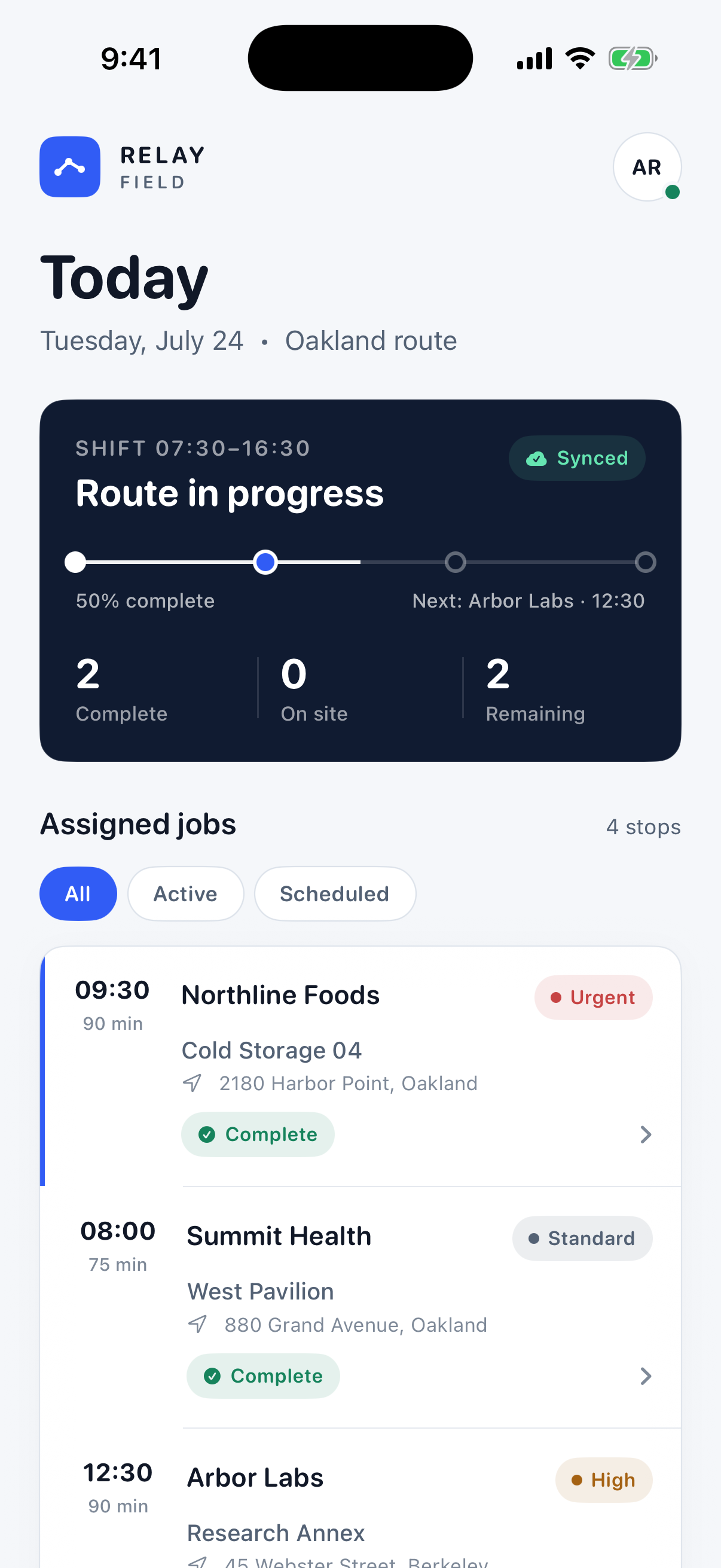
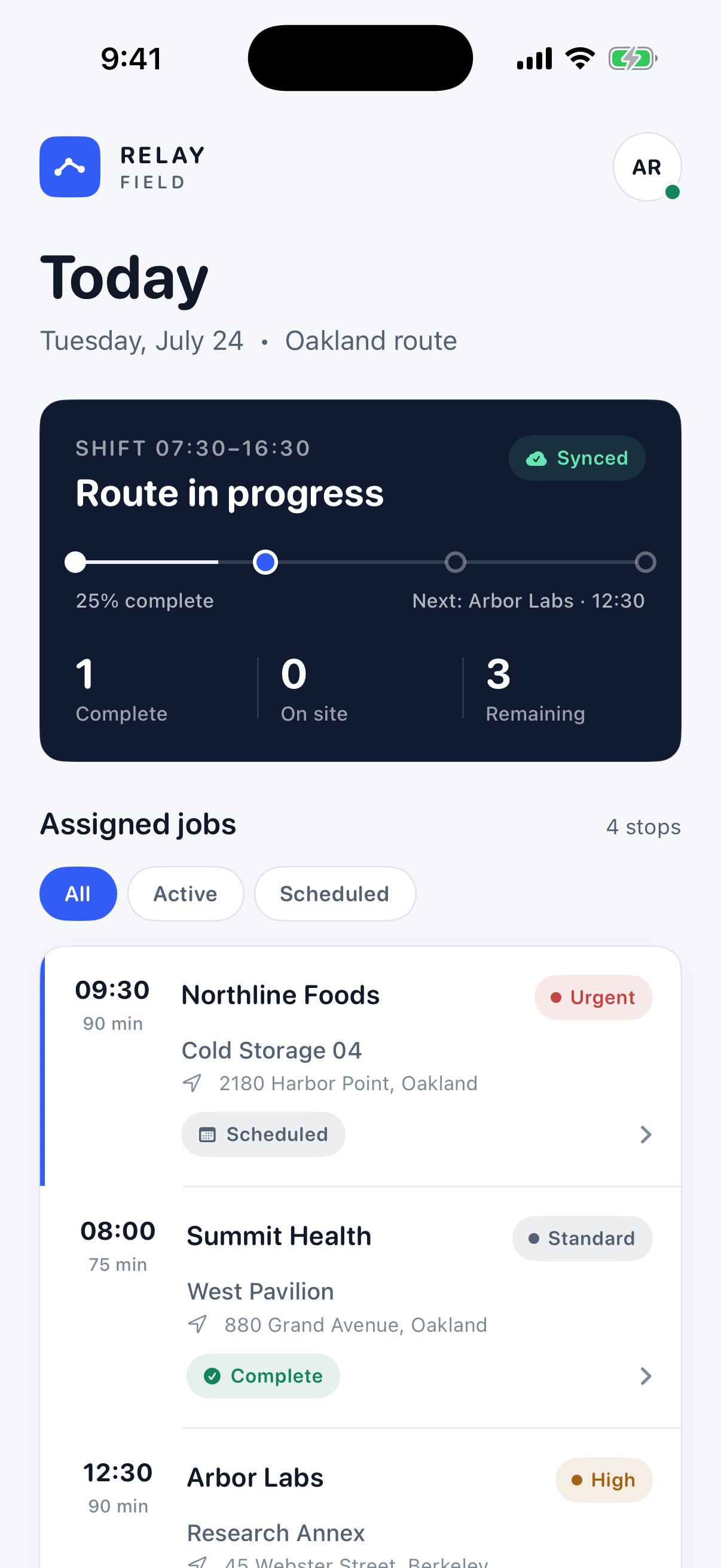
Priority, site, timing, progress, and status remain clear from the route overview onward.
Relay Operations · Native iOS
A complete field-service workflow in the technician’s hand.
Relay Field guides technicians from the day’s assignments through service work, evidence, customer sign-off, and a persistent completion record.
The user problem
The product turns a fragmented operational process into one guided journey, keeping the right context visible at every decision.
Main workflow
Each state advances the real task while preserving context, progress, and the information needed on the next screen.
Choose an assigned job
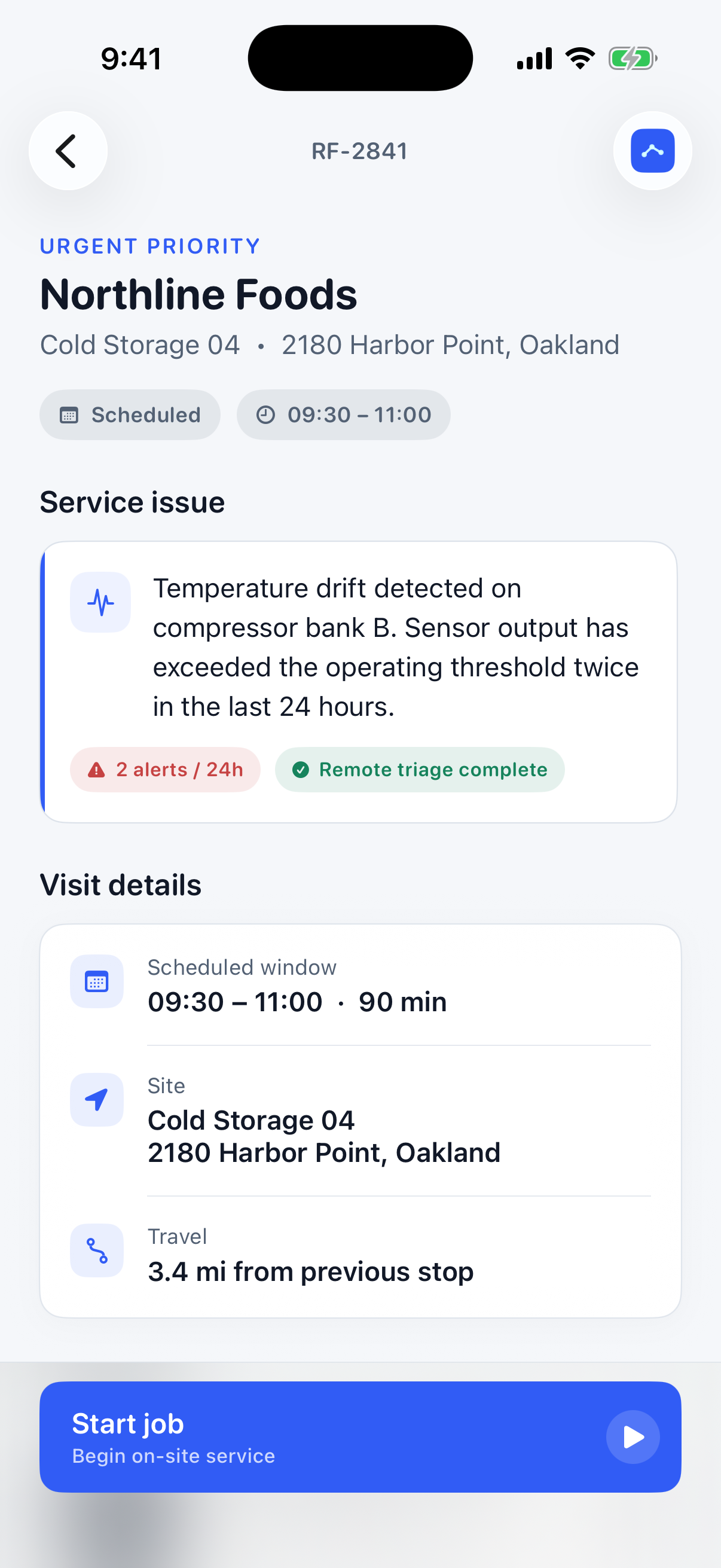
Review the site and issue
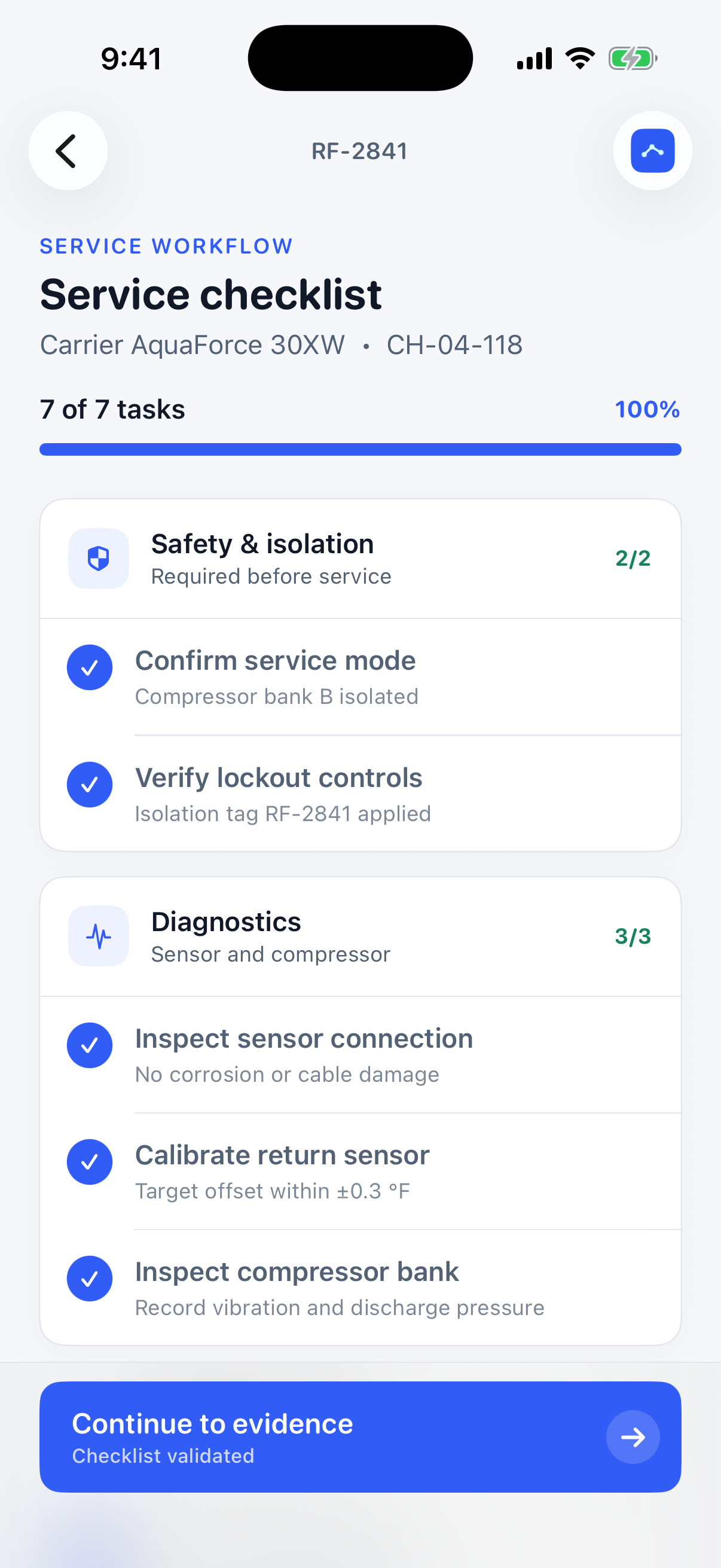
Complete validated service tasks
Add notes, evidence, and readings
Capture customer sign-off
Complete and preserve the job record
Key features
Priority, site, timing, progress, and status remain clear from the route overview onward.
Grouped service tasks make completion visible and prevent required work from being skipped.
Photos, removal, equipment readings, and technician notes stay together in the service record.
A purpose-built signature area gives customer acknowledgement a natural place in the flow.
Completed work, entered data, progress, and status remain consistent when the app is reopened.
Loading, empty, validation, success, and recovery states support the real operational journey.
Interface gallery
A consistent visual system carries the user from overview to action without flattening the native character of the platform.
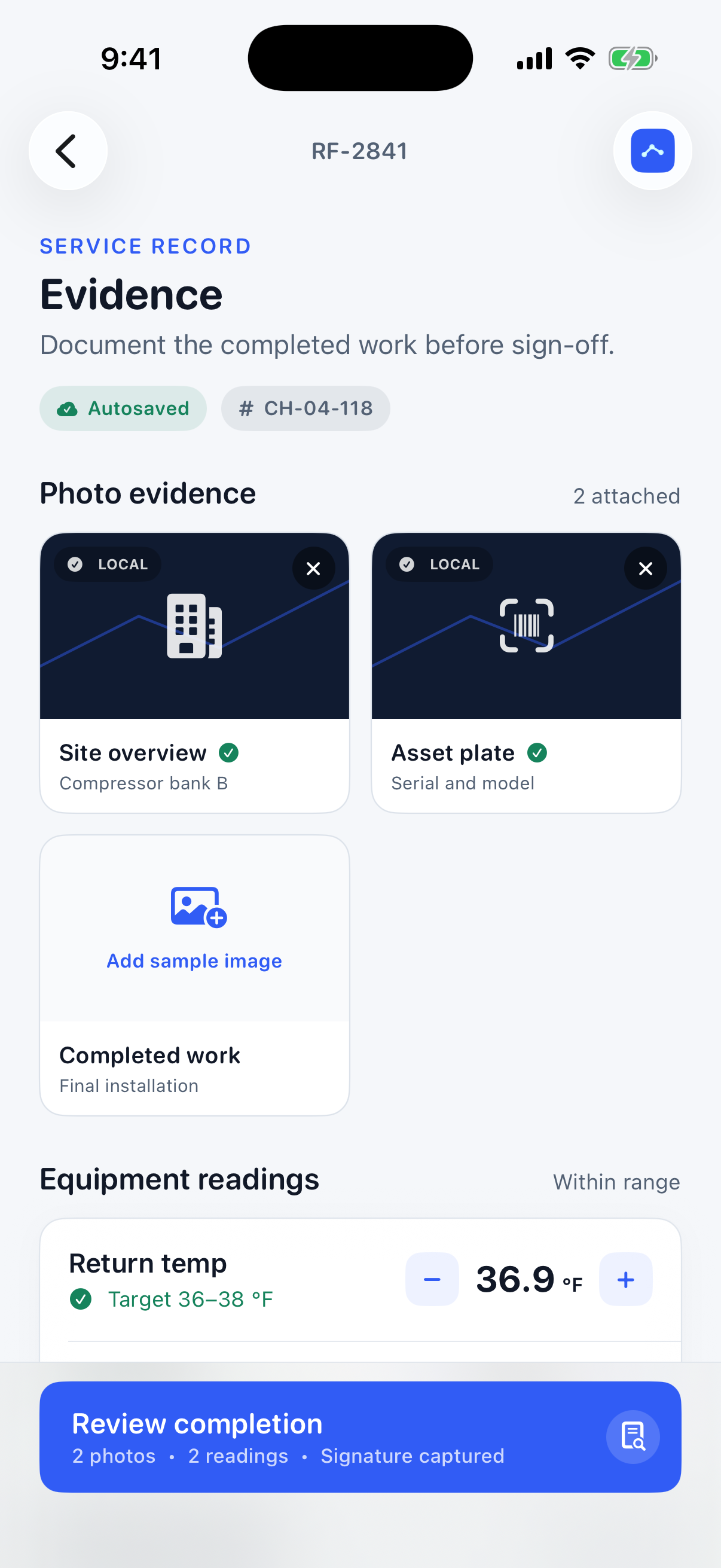
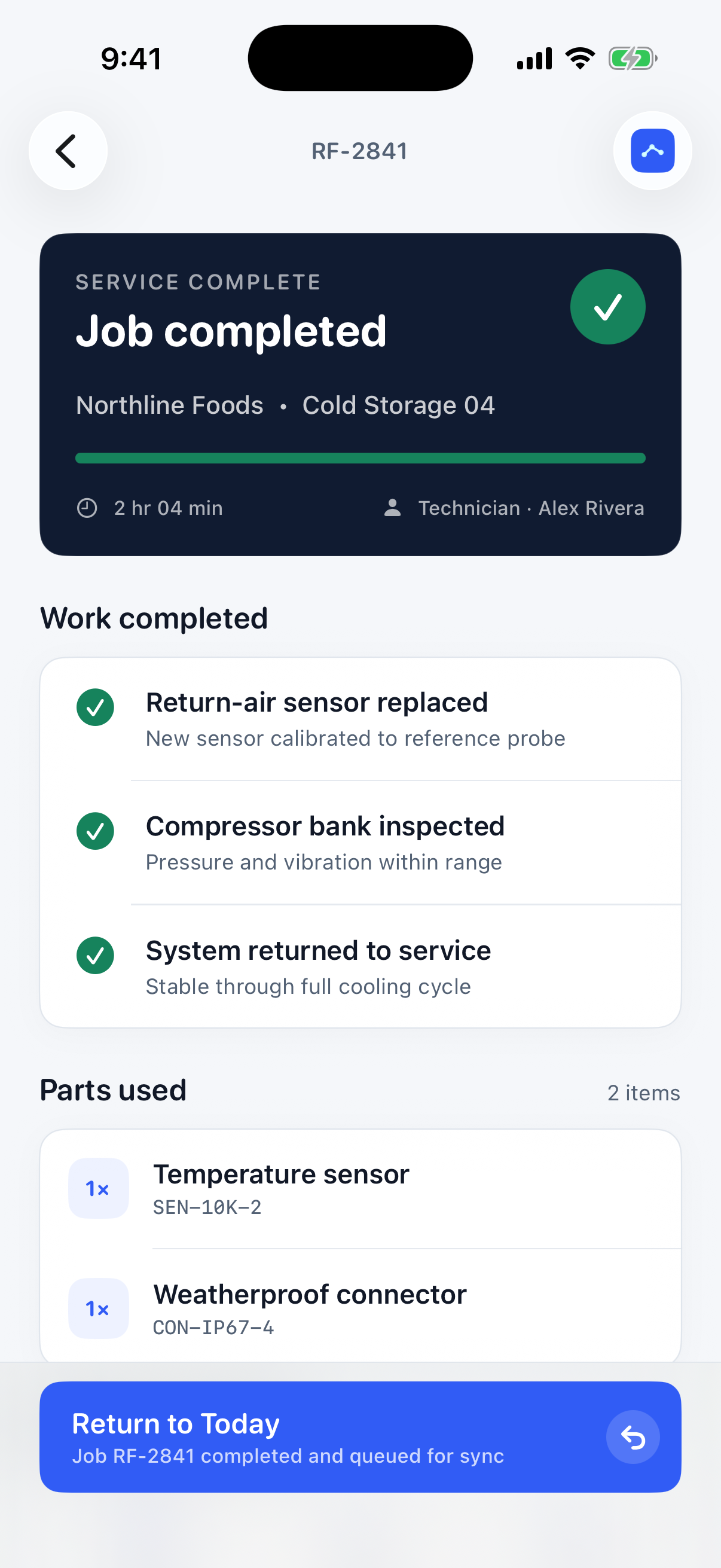
Workflow sequence
The static sequence follows the product from its opening state through the core outcome, with connected information and clear next actions throughout.
Platform and implementation
Your product, next
Bring the product idea, an existing app, or a difficult workflow. Let's find the strongest path forward.
Discuss your app